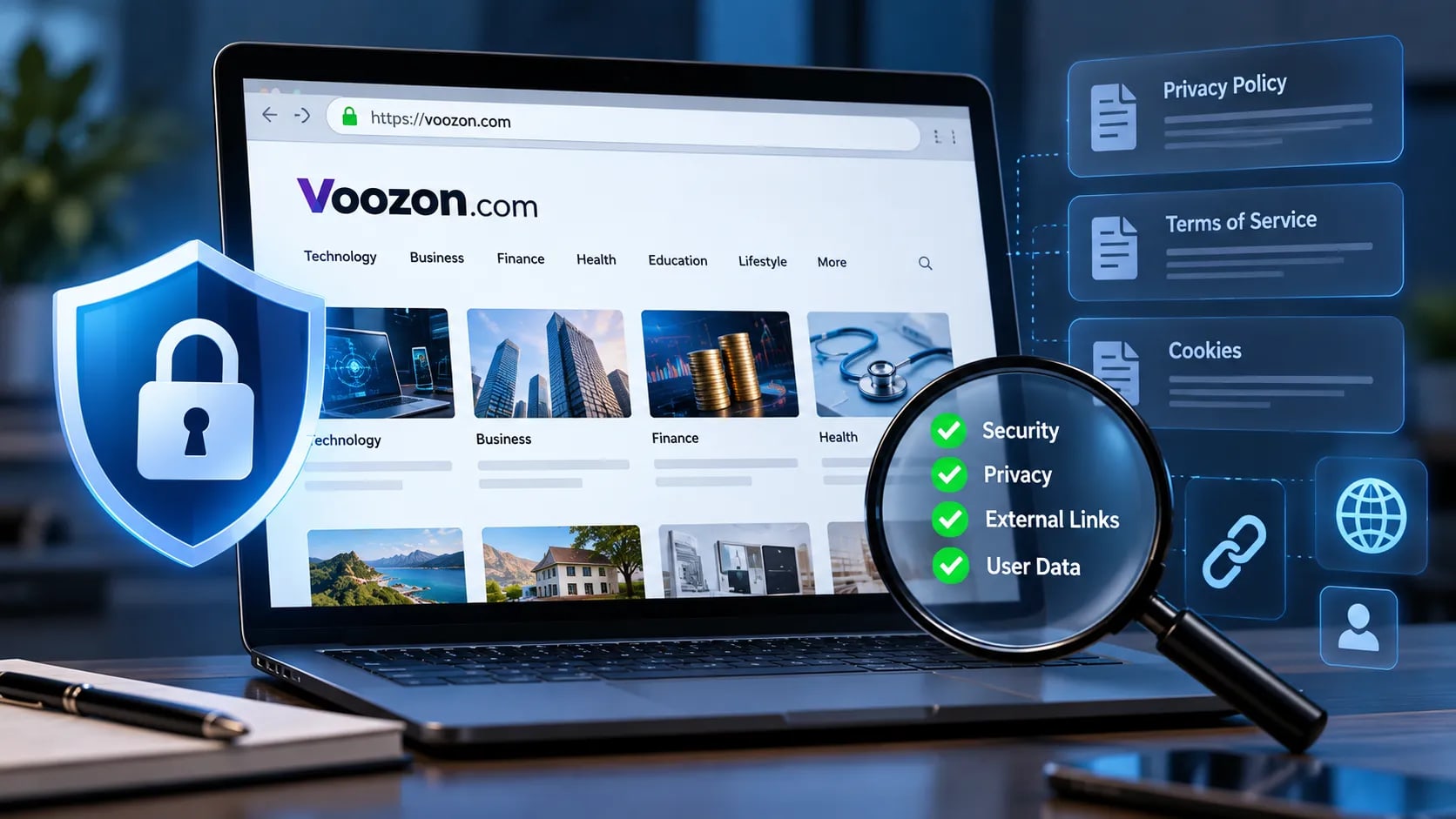
The internet is full of publishing platforms that look straightforward on the surface but become more interesting once you start examining what happens behind the interface. Voozon.com is one of them.
Voozon.com presents itself as a multi-niche digital publication and content-publishing platform covering areas ranging from technology and business to finance, health, education, lifestyle, and more. Its website also describes guest-posting and article-publishing opportunities, including the ability to publish content containing links.
That makes Voozon.com worth examining from more than an SEO or publishing perspective. There is another layer that matters: security and privacy.
Whenever you interact with an unfamiliar website, you may be handing over information about yourself, including browser data, cookies, account details, contact information, and potentially other information depending on how you use the service. A polished design or HTTPS connection does not, by itself, tell you how a platform handles that data.
In this guide, we'll look at Voozon.com through a cybersecurity lens. We'll examine what the website is, how its publishing model works, what its publicly available privacy and legal documentation says, and which security signals users should pay attention to.
The goal isn't to blindly label the site as safe or unsafe. It's to separate observable facts from assumptions and give readers the information they need to make a more informed assessment of Voozon.com.
What Is Voozon.com?
Voozon.com is a multi-niche digital publication and content-publishing platform. According to its About page, the site is designed for individuals, businesses, bloggers, and digital marketers to publish content across multiple industries. It also promotes guest-posting opportunities and content intended to support online visibility and SEO.
The site's editorial policy provides a more detailed picture of how that model works. Voozon says it publishes across areas including technology, business, finance, health, education, law, automotive, travel, real estate, lifestyle, and entertainment. It also states that contributor and guest-post content is subject to editorial requirements covering originality, relevance, sourcing, misleading claims, and external links.
Why Does This Matter From a Cybersecurity Perspective?
A website that publishes content from multiple contributors creates a different trust environment from a conventional single-author blog.
Every external contributor, link, embedded resource, account, and piece of submitted content creates additional areas worth evaluating when assessing a publishing platform. That doesn't mean Voozon.com is vulnerable or malicious. It means there are more components that readers and publishers should understand.
External links deserve particular attention. Voozon's editorial policy says links should be relevant to the surrounding content and that excessive, irrelevant, manipulative, or misleading linking may result in content being edited or rejected.
For readers, this creates an important distinction: trusting the domain does not automatically mean trusting every destination linked from that domain. A contributor's article may point to third-party websites with completely different ownership, privacy practices, security controls, and reputations.
The same principle applies to the content itself. Voozon's editorial policy addresses plagiarism, fabricated sources, invented quotations, misleading claims, commercial relationships, and contributor material.
So when evaluating Voozon.com, the useful question isn't simply, "Is this website safe?"
A better security-minded question is:
What can be independently verified about the website, its data practices, its content ecosystem, and the external resources connected to it?
That's the approach we'll use throughout this guide.
How Does Voozon.com Work?
At its core, Voozon.com operates as a multi-niche publishing and guest-posting platform. Its FAQ says users can submit articles for publication, while its guest-posting information describes opportunities for writers, businesses, agencies, and brands.
From a cybersecurity perspective, however, the interesting part isn't simply how an article gets published. It's the digital chain surrounding that process: accounts, submitted information, cookies, external links, third-party services, and publicly accessible content.
Content Submission and Publishing
Contributors can submit material covering subjects such as technology, business, finance, health, education, travel, lifestyle, and other categories. Voozon's editorial policy says submitted material should be original, relevant, accurate, and appropriately sourced. It also places restrictions on misleading content and inappropriate use of external links.
For contributors, that means an article should be treated as public-facing content rather than a private document. Anything submitted for publication can potentially become part of a long-term online footprint.
External Links Are Part of the Security Picture
Voozon.com allows relevant external links within published content. That's normal for a publishing platform, but it creates an important security distinction.
A link appearing on Voozon.com does not automatically make the destination trustworthy.
Voozon's Terms and Conditions state that the platform may link to third-party websites and that it does not control those sites' content, privacy policies, or practices.
That matters when following links from articles. A reader should still inspect the destination domain, HTTPS status, URL structure, redirects, and the type of information the destination requests.
What Happens to User Data?
Voozon's current privacy policy says it may collect information such as an email address as well as automatically generated usage information, including IP address, browser details, pages visited, timestamps, device identifiers, and diagnostic information. It also describes the use of cookies and web beacons.
The policy states that personal information may be processed by service providers and that certain usage data, including analytics information and server logs, may be retained for up to 24 months under the stated retention schedule.
That's the part users should pay attention to. The security question isn't just whether a website uses an encrypted connection. It's what information the platform collects, why it collects it, who may process it, and how long it keeps it.
For context, technical data such as IP addresses, cookies, device identifiers, and similar information can become part of a person's digital identity. Our guide to PII and its security risks provides a deeper look at why seemingly ordinary online data can matter from a cybersecurity perspective.
The Bottom Line
Voozon.com's basic publishing model is straightforward: users and businesses can create or submit content, and published material can contain external references.
From a cybersecurity perspective, every additional account, data field, cookie, integration, and outbound link becomes something worth understanding.
That doesn't make the platform inherently dangerous. It simply means "works as expected" and "secure by design" are two different questions, and both deserve to be investigated.
Voozon.com Security: What Should Users Check?
When evaluating Voozon.com from a cybersecurity perspective, the right approach is to separate technical security signals from assumptions about trust.
A website can use encrypted connections and still collect more information than a user expects. Conversely, limited public information does not automatically prove that a website is malicious.
A useful security assessment starts with several observable areas.
1. Connection Security
The first baseline check is whether the website uses HTTPS/TLS when handling connections. Encryption helps protect information while it travels between a user's browser and the website.
But HTTPS has a limited meaning. It protects the connection. It does not certify the intentions of the website operator, guarantee that the content is accurate, or prove that every linked domain is safe.
2. Privacy and Data Collection
The next question is what happens to information after it reaches the platform.
Voozon's privacy policy describes collection of information such as email addresses, IP addresses, browser information, device-related data, pages visited, and other usage information. It also discusses cookies, web beacons, analytics, service providers, and data retention.
For users, this means the privacy policy is more useful than a generic "your privacy matters" statement. It provides the framework for understanding what information Voozon says it may collect and process.
3. Third-Party Services
Modern websites rarely operate entirely in isolation. Analytics providers, hosting infrastructure, advertising technology, payment processors, security services, and other third parties can form part of a site's wider technical ecosystem.
Voozon's privacy documentation states that information may be processed by service providers acting on its behalf.
From a security standpoint, third-party processing deserves attention because your browser may interact with systems that are not directly controlled by the website you originally visited.
This is not automatically a security problem. It is simply another part of the data and trust chain worth understanding.
Cyberlad has also examined third-party risks that vulnerability scanners can miss, including problems that originate in external services rather than infrastructure directly controlled by an organization.
4. External Links
A publishing platform can also become a gateway to other domains.
Voozon's terms explicitly address third-party websites and state that the platform does not control their content or privacy practices.
Readers should therefore treat outbound links as separate security decisions. Before entering credentials, downloading files, or submitting personal information on a linked site, verify the destination independently.
5. Account and Credential Hygiene
If you create an account on any online platform, avoid reusing a password from email, banking, social media, or other critical services.
A compromised password becomes significantly more dangerous when the same credential works across multiple websites. Using a unique password and a password manager reduces the potential impact of a credential leak.
6. Watch the Browser, Not Just the Brand
One of the most useful security habits is paying attention to what your browser actually does.
Unexpected redirects, unfamiliar domains, repeated login prompts, suspicious downloads, browser warnings, or requests for unnecessary permissions deserve scrutiny.
A recognizable website name does not make every redirect or third-party destination automatically trustworthy.
The broader lesson is simple: security isn't a logo, a padlock, or a domain name. It's a collection of technical and operational factors that need to be considered together.
Voozon.com Domain, HTTPS, Certificates & Trust Signals
A common mistake when evaluating an unfamiliar website is treating HTTPS as a trust certificate.
It isn't.
When visiting Voozon.com, an HTTPS connection means the browser can establish an encrypted connection with the domain. TLS encryption helps protect traffic between the browser and the website from simple interception or modification while it is being transmitted.
But encryption and trust are different things.
What HTTPS Actually Tells You
HTTPS primarily protects the connection between your browser and the server. It can help protect information such as login credentials or form submissions while they are being transmitted.
It does not answer several larger questions:
Who operates the website?
What data does the operator collect?
How is that data stored?
Which third parties receive it?
Is the published information accurate?
Are outbound links trustworthy?
What internal security controls does the operator use?
In other words, the padlock in your browser is a security baseline, not a security verdict.
Domain Verification Matters
The domain itself is another useful part of a basic investigation.
Before entering credentials or personal information, check that you are actually visiting the intended domain and not a visually similar phishing domain.
Attackers commonly rely on lookalike domains, misleading subdomains, shortened URLs, and redirects to make a destination appear more legitimate than it is.
For Voozon.com, users should pay attention to the exact hostname displayed by the browser rather than relying on branding, search-result descriptions, or links shared through social media.
Certificates Have a Limited Role
TLS certificates help browsers establish encrypted connections to domains. Certificate information can also provide useful technical details, such as the domain covered by the certificate and its validity period.
But obtaining a valid certificate is not equivalent to passing a comprehensive security audit.
That's an important distinction because a malicious or compromised website can also use HTTPS.
Don't Confuse Reputation With Security
Search rankings, professional design, published articles, social-media presence, and a valid TLS certificate can all contribute to an appearance of legitimacy.
None of them individually proves that a website is secure.
A stronger assessment combines multiple signals: domain information, technical configuration, privacy documentation, content practices, external links, account security, and the site's observable behavior.
For security-conscious users, the objective isn't to find one magical "safe" indicator. It's to build a picture from multiple pieces of evidence and recognize when the available evidence simply isn't enough to reach a confident conclusion.
Voozon.com Privacy, Cookies & Data Collection
Security isn't only about preventing hackers from breaking into a website. Privacy is part of the security equation too.
If a platform collects information about its visitors and users, understanding what happens to that data matters.
Voozon.com's published privacy policy provides several details about the information it may collect and how that information may be used. According to the policy, this can include information supplied directly by users, such as an email address, along with automatically collected technical and usage information.
What Information Can Be Collected?
The policy describes automatically collected information such as:
IP addresses
Browser type and version
Device-related information
Pages visited
Date and time of visits
Usage and diagnostic information
Cookies and similar technologies
Some of this information is ordinary web telemetry. Websites routinely use server logs and analytics to understand traffic, troubleshoot problems, and measure performance.
The important question is how that information is used and who can access it.
Cookies and Tracking Technologies
Voozon's privacy policy states that the website uses cookies and similar technologies, including web beacons, for purposes such as maintaining functionality, analyzing usage, and improving the service.
Cookies aren't inherently malicious. They are a fundamental part of the modern web.
However, cookies can range from essential session mechanisms to analytics and tracking technologies. Users who care about privacy should understand which categories are being used and whether third-party services are involved.
Third-Party Data Processing
According to Voozon's privacy documentation, information may be shared with service providers that perform services on behalf of the platform. The policy also discusses analytics and other third-party services.
This is where the data chain becomes more complicated.
Your browser may interact with multiple systems even though you entered only one domain into the address bar. Each additional service can introduce another organization, infrastructure layer, or privacy policy into the picture.
That doesn't automatically indicate a security problem. It does mean users should avoid assuming that "Voozon.com" represents every system their browser may communicate with.
Data Retention
The privacy policy also provides information about retention periods for different categories of information. It states that certain personal information may be retained while necessary for the purposes described, while some usage data may be retained for a specified period for analysis and security purposes.
Retention matters because data that no longer needs to be stored can still become a liability if it is exposed later.
What Users Should Take Away
The practical lesson is simple:
Read the privacy policy before handing over information you wouldn't want exposed.
For routine browsing, technical data collection is common. But if you're submitting content, creating an account, providing contact information, or interacting with third-party services, the privacy implications become more significant.
Privacy isn't about assuming every website is spying on you. It's about knowing what data you're exchanging for access and deciding whether that trade makes sense.
Voozon.com Account Security & Credential Risks
Any website that allows users to submit information, communicate with a platform, or create an account introduces another security consideration: credentials.
A password is not just a password. If the same credential is reused across multiple services, compromising one account can potentially expose several others.
Don't Reuse Your Primary Password
If you create an account associated with Voozon.com, use a unique password that you don't use for email, banking, social media, cloud storage, or other important accounts.
Password reuse is one of the easiest ways for attackers to turn a single credential leak into multiple account compromises.
A password manager can generate and store unique credentials without requiring you to memorize dozens of passwords.
Be Careful With Login Links
Phishing attacks often work because the victim reaches a convincing-looking login page rather than because the underlying technology is particularly sophisticated.
If you receive an email or message containing a Voozon-related login link, don't automatically trust it. Check the actual destination domain before entering credentials.
Look for:
Misspelled or lookalike domains
Unexpected redirects
Unusual URL paths
Requests for information that the service normally doesn't require
Urgent messages demanding immediate action
Login pages reached through unfamiliar shortened links
A familiar logo proves nothing. The URL is what matters.
For a deeper look at the relationship between phishing and data exposure, see Cyberlad's analysis of why phishing is not often responsible for PII data breaches. The distinction is useful because phishing can provide initial access while the actual exposure of sensitive information can happen later through weak access controls, insecure applications, or other failures.
Protect the Email Account Behind Your Login
If an account uses email for password resets or account recovery, protecting that email account is especially important.
Your email account should have a unique password and, where supported, multi-factor authentication. If an attacker controls the recovery email, changing the password on the original account may not be enough to regain control.
Don't Share Credentials With Contributors or Clients
For people using Voozon.com as part of content marketing or publishing workflows, account access should remain individual and controlled.
Avoid sending passwords through ordinary email or chat. If several people need to collaborate, use appropriate account-management or password-sharing mechanisms rather than passing the same credential around.
What If You Already Reused a Password?
If you discover that a Voozon-related password is also used on another important service, change the reused credential on the more sensitive accounts first, particularly email and financial services.
The bigger security lesson is not specific to Voozon.com:
A website doesn't need to be malicious for password reuse to become dangerous. One compromised credential anywhere can become the starting point for an attack somewhere else.
Voozon.com, Phishing, Redirects & Malicious-Link Risks
A publishing platform can create an interesting security problem:
The domain you trust and the domain you eventually visit may not be the same thing.
Voozon.com publishes content containing external links, and its terms make clear that third-party websites are outside its control. That means readers should evaluate outbound links independently rather than treating every link on a familiar domain as automatically safe.
Watch the Destination, Not Just the Source
Suppose an article on Voozon.com links to another website. The fact that the link appears inside a published article doesn't guarantee that the destination is secure.
Before entering credentials or downloading anything, check:
The exact domain name
Whether HTTPS is enabled
Whether the URL contains unexpected subdomains
Whether the browser performs multiple redirects
Whether the destination suddenly requests sensitive information
Whether the page attempts to download a file automatically
This takes only a few seconds and can prevent a surprisingly large number of problems.
Beware of Lookalike Domains
Phishing websites often use domains designed to resemble legitimate ones. Attackers may alter a character, add a word, use a different top-level domain, or construct a deceptive subdomain.
For example, seeing the word "Voozon" somewhere in a URL does not necessarily mean the URL belongs to Voozon.com.
Always inspect the registrable domain, not just the beginning of a long URL.
Redirects Can Hide the Final Destination
A link may pass through tracking systems, URL shorteners, advertising networks, or other redirects before reaching its final destination.
Redirects are not automatically malicious. They're widely used across the web.
But an unexpected redirect chain deserves attention, particularly when a page begins at one recognizable domain and ends somewhere completely different.
Don't Download Files Just Because They're Linked
A cybersecurity rule worth remembering:
A document isn't harmless simply because it is called a PDF, Word file, spreadsheet, or image.
If an unfamiliar page asks you to download a file, consider whether you actually need it. Be particularly cautious with executable files, browser extensions, scripts, or documents asking you to enable macros or other active content.
Cyberlad's guide to preventing viruses and malicious code covers this broader problem and explains why safe browsing habits matter alongside antivirus and endpoint protection.
Voozon.com Isn't the Only Thing to Evaluate
This is where the distinction between a website and the wider web becomes important.
Voozon's Terms and Conditions state that third-party websites may be linked from its platform and that Voozon does not control those external sites.
So a security-conscious reader should evaluate the entire path:
Voozon.com - external link - destination website - requested action
The safest habit is to treat each new domain as a new trust decision.
That mindset is more useful than blindly trusting or blindly distrusting an entire website based on its name alone.
Voozon.com Pros and Cons From a Security Perspective
Looking at Voozon.com through a cybersecurity lens produces a more useful picture than simply asking whether the website is "good" or "bad."
There are documented practices worth noting, but there are also areas where users should exercise normal online caution.
Potential Security Positives
Published privacy documentation: Voozon provides a privacy policy describing categories of information it may collect, cookies, third-party processing, and data retention.
Published terms and conditions: The site's terms explain the relationship between Voozon, users, contributors, and third-party websites.
Editorial controls: Voozon's editorial policy addresses issues including misleading information, plagiarism, inappropriate links, and disclosure of certain commercial relationships.
HTTPS: An HTTPS connection provides the basic transport encryption expected from a modern website. It should be viewed as a baseline rather than a comprehensive security certification.
Security Considerations
Third-party exposure: Voozon's privacy documentation indicates that service providers and analytics-related services may be involved.
External links: Published content can contain links to other websites. Those destinations have their own security and privacy practices and should be assessed separately.
User-submitted content: A multi-contributor publishing model means content and links can originate from different sources. Readers should therefore distinguish between the platform itself and claims or destinations presented by individual contributors.
Data collection: Visitors should understand that normal web usage can generate technical information such as IP addresses, browser information, and usage data. Anyone particularly concerned about privacy should review the site's current privacy documentation before submitting personal information.
The Bigger Picture
None of these points, individually, establishes that Voozon.com is either completely secure or inherently dangerous.
That's the wrong standard for evaluating websites anyway.
A better approach is to ask what evidence exists, what information is collected, what external services are involved, and how users can reduce their own exposure.
Good cybersecurity is rarely about blind trust. It's about reducing unnecessary trust.
How to Safely Investigate an Unfamiliar Website Like Voozon.com
You don't need to be a penetration tester to perform a basic security assessment of a website. A few simple checks can reveal useful information before you create an account, submit content, or hand over personal data.
1. Verify the Exact Domain
Start with the URL.
Make sure you're actually visiting voozon.com rather than a lookalike domain using extra characters, unusual subdomains, or a different top-level domain.
This is one of the simplest defenses against phishing.
2. Check HTTPS
Confirm that the connection uses HTTPS and that your browser does not display a certificate or security warning.
Remember, though: HTTPS protects the connection. It doesn't prove that the website itself is trustworthy.
3. Read the Privacy Policy
Don't skip the privacy policy if you're planning to submit personal information.
Look for answers to basic questions:
What information is collected?
Why is it collected?
Is it shared with third parties?
How long is it retained?
What rights do users have?
How can users request information or deletion?
Voozon's published privacy policy provides information on several of these areas.
4. Inspect External Links
Hover over links before clicking them when possible. Check the actual destination rather than relying on the visible text.
If a link leads somewhere unexpected, stop.
You can also open the destination in a separate browser tab and inspect the domain before entering any information.
5. Check for Unexpected Downloads
A website should not need to download random executables, browser extensions, scripts, or suspicious documents just to display ordinary content.
If something unexpectedly downloads, don't open it automatically. Verify what it is first.
6. Search for Independent Evidence
Don't rely entirely on testimonials published by the website itself.
Look for independent information about the domain, including technical reputation data, security reports, user experiences, and historical information. Treat both extremely positive and extremely negative claims with skepticism unless they can be independently verified.
7. Minimize the Data You Provide
One of the strongest privacy controls is surprisingly simple:
Don't give a website information it doesn't need.
If a service only requires an email address for communication, there is little reason to provide unrelated sensitive information.
The less information you expose, the less information there is to lose if an account or database is compromised.
8. Use Security Tools When Appropriate
Security-conscious users can use browser protections, password managers, DNS filtering, reputation services, and malware scanning tools to add additional layers of defense.
For deeper investigation, security researchers can also examine DNS records, certificate transparency logs, HTTP response headers, historical domain information, and publicly exposed infrastructure.
The goal isn't to become paranoid about every website.
It's to develop a habit of verification before trust.
That mindset is useful far beyond Voozon.com. The same checklist can be applied to practically any unfamiliar website you encounter online.
Voozon.com Alternatives
If you're considering Voozon.com for publishing, guest posts, or digital visibility, there are plenty of other platforms to evaluate. But choosing an alternative shouldn't come down to domain authority or SEO metrics alone.
For a security-conscious publisher, privacy, transparency, editorial controls, and account security deserve equal attention.
What to Compare
Privacy practices: Check what information the platform collects, whether it uses third-party tracking, and how long information is retained.
Account security: Look for strong password requirements, secure authentication, and multi-factor authentication where available.
Editorial controls: A platform that clearly explains how submitted content and external links are reviewed provides more transparency for both publishers and readers.
Link policies: Understand whether external links are editorially reviewed, marked appropriately, or subject to restrictions.
Ownership and contact information: Look for clear information about who operates the platform and how users can contact them.
Terms and privacy documentation: Current, accessible legal documentation is an important baseline when evaluating an unfamiliar publishing service.
Don't Choose an Alternative on SEO Metrics Alone
Metrics such as domain authority, traffic estimates, backlink counts, and search rankings can be useful for marketers.
They don't tell you everything about a platform's security or privacy posture.
A website can have strong search visibility while still providing limited information about how user data is handled.
Conversely, a smaller platform may have clearer policies and more transparent operations.
The Security-First Approach
Before moving from Voozon.com to another publishing platform, apply the same checklist:
Verify the domain.
Review the privacy policy.
Read the terms of service.
Check how accounts are protected.
Examine external-link policies.
Search for independent security information.
Avoid providing unnecessary personal information.
The point isn't to find a platform that comes with a magical "100% safe" label. That doesn't exist.
The better strategy is to compare platforms based on evidence, transparency, and the amount of trust you're being asked to give them.
Final Thoughts
Voozon.com is more than just another website to evaluate by its appearance or search-engine presence. It operates as a multi-niche publishing and guest-posting platform, which means both its content ecosystem and its handling of user information deserve attention.
The site's published privacy policy, terms, and editorial guidelines provide useful information about data collection, cookies, third-party services, external links, and content standards. Those documents are a better starting point for assessing the platform than vague claims or anonymous reviews.
From a cybersecurity perspective, the same rules apply here as they do across the wider web:
Verify before you trust.
Check the domain. Inspect links before following them. Use unique passwords. Minimize the personal information you provide. Read privacy policies when submitting data. And remember that HTTPS protects a connection. It doesn't automatically make everything behind that connection trustworthy.
It's also important to separate the Voozon.com domain from the third-party websites and content it links to. Every external domain introduces its own security and privacy considerations.
Ultimately, there is no single badge, certificate, review, or security indicator that can answer every question about an online platform. Good digital security comes from looking at multiple pieces of evidence and keeping your exposure under control.
In a web increasingly built around data collection, tracking, publishing platforms, and interconnected third-party services, a little healthy skepticism isn't paranoia.
It's basic operational security.
Frequently Asked Questions
What is Voozon.com?
Voozon.com is a multi-niche digital publication and content-publishing platform. It publishes content across areas such as technology, business, finance, education, lifestyle, and other categories, and also provides guest-posting and content-submission opportunities.
Is Voozon.com safe to use?
There is no single technical indicator that can establish whether a website is completely safe. Users should review Voozon.com's current privacy policy, terms, security practices, and external links before providing sensitive information.
Does Voozon.com use HTTPS?
HTTPS is the standard mechanism used to encrypt communication between a browser and a website. However, HTTPS should be treated as a baseline security measure rather than proof that a website or every link published on it is trustworthy.
Does Voozon.com collect personal information?
According to Voozon.com's privacy policy, the site may collect information provided by users, such as email addresses, along with technical and usage information including IP addresses, browser details, device information, and pages visited. The policy also discusses cookies and similar technologies.
Does Voozon.com use cookies?
Yes. Voozon's privacy policy describes the use of cookies and similar technologies for functions including website operation, analytics, and improving the service.
Are links on Voozon.com safe?
An external link should not automatically be considered safe simply because it appears on Voozon.com. The site's Terms and Conditions state that Voozon does not control third-party websites linked from its platform. Users should independently check the destination before submitting information or downloading files.
Should I use my normal password on Voozon.com?
No. As a general cybersecurity practice, use a unique password for every online account. Never reuse passwords associated with email, banking, cloud storage, or other critical services.
Can Voozon.com content contain third-party links?
Yes. Voozon's editorial policy discusses external links and establishes requirements around their relevance and use.
How can I investigate Voozon.com myself?
Start by verifying the domain, checking HTTPS, reading the privacy policy and terms, examining external links, and looking for independent technical or security information. More advanced users can also inspect DNS records, certificate transparency data, HTTP headers, and historical domain information.
What is the most important security rule when using Voozon.com?
Don't give a website more trust or more data than it needs. Verify domains, use unique credentials, inspect external links, and read the privacy documentation before submitting sensitive information.